Machine Party Online: How to Master This Violent Party Game
Discover how to play Machine Party online with friends. Learn about the game's unique multiplayer mechanics, matchmaking policies, and survival tips.
Published:
Table of Contents
The gaming world has been taken by storm by the brutal, fast-paced chaos of Machine Party. If you are looking to dive into this intense experience, understanding how to navigate Machine Party online sessions is essential for survival. Whether you are a fan of high-stakes mini-games or just want to see your friends fail in the most spectacular ways possible, this guide covers everything you need to know to get started.
Mastering Machine Party online play is not just about raw skill; it is about understanding the game's specific networking architecture. Since its release on July 30, 2026, the game has captivated players with its blend of dark humor and lethal competition. By following this guide, you will avoid common connection pitfalls and ensure your next game night is filled with high-intensity thrills rather than technical headaches.
Understanding the Multiplayer Landscape
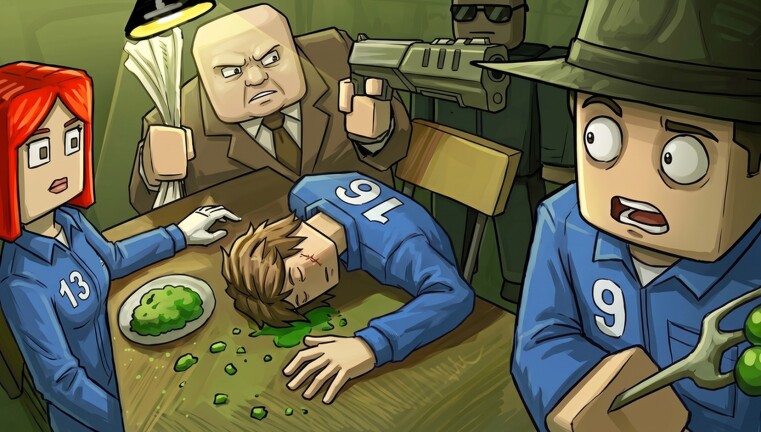
Machine Party is a collection of uniquely violent mini-games where failure leads to grim consequences. Unlike traditional party games, it focuses on high-stakes situations that test your reflexes and your friendships. The game currently supports 2–4 players, making it perfect for intimate, high-tension sessions.
Aura devs studio designed the game around deliberate, small-group interactions. It is crucial to understand that this is not a mass-market lobby shooter; it is a curated experience intended for groups who know each other.
Key Multiplayer Features
Feature
Status
Online Co-op
Confirmed
Player Count
2–4 Players
Public Matchmaking
Not Available
Voice Chat
Unconfirmed/External Recommended
As shown on platform charts, the Roblox experience has trended with thousands of concurrent players and a strongly positive rating. This popularity has created a vibrant community, but you must be proactive about how you organize your sessions.
Why There Is No Public Matchmaking
One of the most frequent questions from new players is why they cannot simply hit a "Quick Match" button. According to developer updates from August 2026, the absence of public matchmaking and public lobby browsers is a deliberate design choice.
The Logic Behind the Policy
Controlled Chaos: The developers want to ensure that players are interacting with people they trust, which fits the theme of "screwing your friends over."
Technical Stability: By limiting sessions to private invites, the game avoids the complexities and potential toxicity associated with open, unmoderated public servers.
Focus on Core Gameplay: This direction allows the team to prioritize the "violent party game" mechanics over complex networking infrastructure.
Organizing Your Session
Since the game lacks a public lobby list, always designate one person as the host before you launch the game. Use external platforms like Discord to coordinate with your group, as there is no built-in, reliable voice chat confirmed by the developers at this time.
Setting Up Your First Online Session
To get your party started, you need to follow a specific workflow. Since the game does not automatically fill empty slots, you must be the one to gather your squad.
Step-by-Step Connection Guide
Verify Updates: Ensure every player has the latest Roblox app version installed.
Designate a Host: Choose the player with the most stable internet connection to act as the host.
Invite Friends: Invite friends through Roblox to your session.
Confirm Voice Channels: Open a third-party voice application (like Discord) before opening the game.
Check Setup: Ensure every device runs the current Roblox app with a stable connection.
Troubleshooting Common Connection Issues
Even with a perfect setup, technical issues can arise. Many community reports suggest that if a connection fails, it is rarely a server-side outage, as the game relies on peer-to-peer or local-style hosting.
Connection Checklist
Potential Issue
Recommended Fix
Failed Invitation
Restart the Roblox app on both ends
Desync during game
Check for pending game updates
High Latency
Ensure the host is not running bandwidth-heavy apps
Missing Voice Chat
Verify your microphone settings in Windows
Community members often note that updating and reinstalling the Roblox app is the most effective way to solve persistent crashes or connection drops. If you find yourself frequently disconnecting, check your firewall settings to ensure Machine Party is allowed to communicate through your network.
Online vs. Same-Network Sessions: What to Know
Every session supports 2–4 players joining through Roblox. Players in different locations join remotely over the internet, while gathering on the same stable network removes most routing variables.
Online Play: Designed for players in different locations syncing through Roblox sessions.
Same Network: Everyone on one stable connection, which greatly reduces join issues.
If you are planning a group session, ensure every device runs the current Roblox app and confirm the player count is between 2–4 before sharing the room code.
Survival Tips for the "Violent" Mini-Games
Playing Machine Party online requires more than just a stable connection; it requires a strategy for survival. Because the games are "highly illegal" and dangerous, you need to be quick on your feet.
Study the Patterns: Most mini-games have specific patterns that repeat. Watch your opponents closely to see how they react to the first round of hazards.
Customize Your Subject: While it is mostly cosmetic, some players find that a distinct character look helps them keep track of their position during chaotic rounds.
Prioritize Survival: It is tempting to try and sabotage your friends immediately, but if you die in the first ten seconds, you cannot win.
[!SUMMARY]
Quick Answer
To play online, gather 2–4 friends, join through the official Roblox page, and rely on external voice chat. There is no public matchmaking, so you must organize your party manually before starting.
FAQ
Q: Can I play Machine Party alone?
A: The game is designed for 2–4 players. While you can technically launch it, the core experience is centered on multiplayer competition and sabotage.
Q: Is there crossplay with other platforms?
A: The game runs exclusively on Roblox. Ensure all players join through the official Roblox page on a supported device to avoid compatibility issues.
Q: Does Machine Party have built-in voice chat?
A: No, built-in voice chat is not confirmed in official materials. We recommend using an external service like Discord to communicate with your party.
Q: How do I invite friends to my game?
A: Invite friends through Roblox to your session. Since there is no public lobby browser, direct invites and room codes are the primary way to form a session.